The MAONO PD400X Dynamic Microphone review is for creators choosing between a simple USB setup and a microphone that can also join a more traditional audio chain.
Its USB and XLR outputs, headphone monitoring, mute control, and optional software adjustments make it adaptable for podcasting, streaming, and home recording.
MAONO PD400X Review Summary
The quick verdict
500+ ratings
Read Amazon ReviewsMAONO PD400X
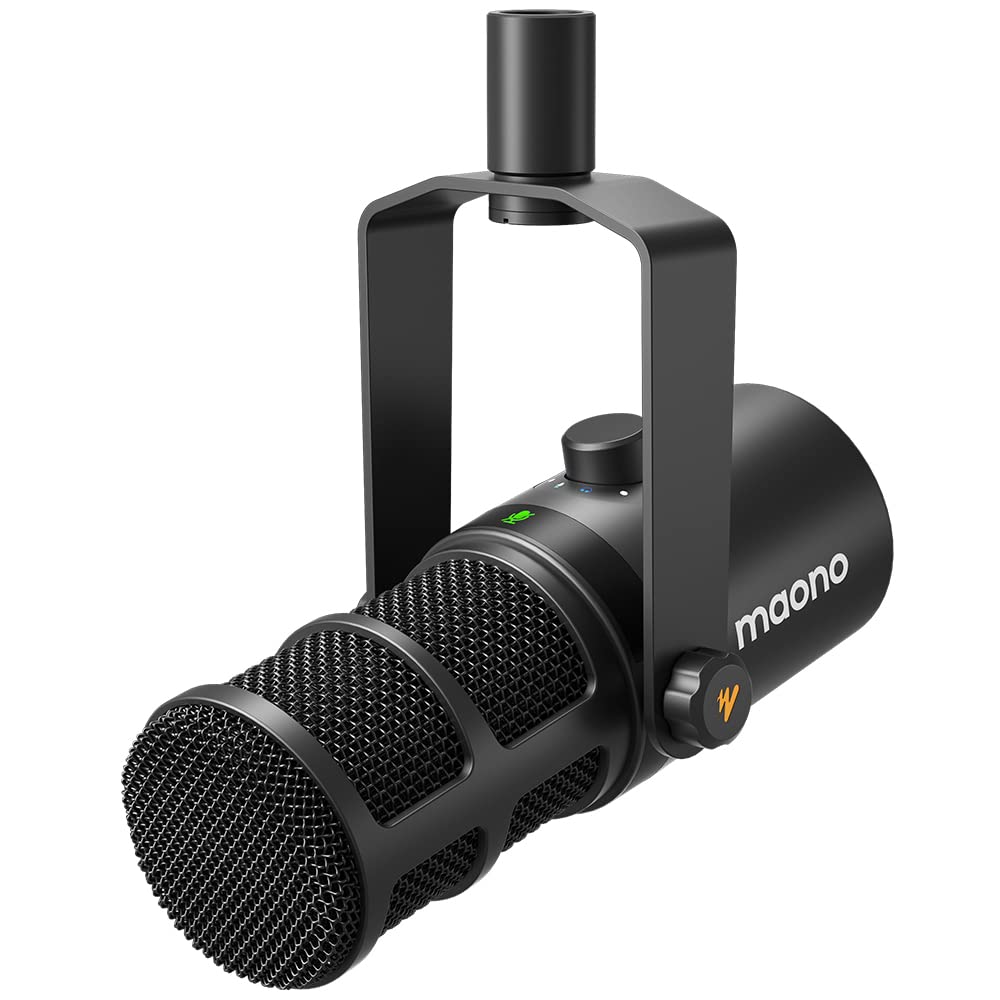
The MAONO PD400X suits podcasters, streamers, and home recordists who want USB convenience, XLR flexibility, and hands-on audio controls.
- Dynamic capsule with a cardioid polar pattern, designed for vocal recording and streaming.
- USB output for plug-and-play connection and XLR analog output for compatible interfaces, mixers, or portable PA systems.
- Three-in-one digital knob for microphone gain, headphone volume, and monitor mix.
- Touch mute key with an LED indicator.

Pros
- USB and XLR outputs offer a useful route from computer-based recording to compatible audio gear.
- Several practical controls are built into the microphone, including gain, headphone level, monitor mix, and mute.
Consider before buying
- The listed software modes and adjustments are tied to USB use, so they do not carry over as software controls when using the XLR output.
- XLR use requires compatible external equipment, so it is less direct than the plug-and-play USB route.
Read the full review summary
The PD400X combines a dynamic capsule and cardioid pickup pattern with controls intended to keep common recording tasks close at hand.
USB connection supports a plug-and-play setup, while XLR output gives it a path to compatible interfaces, mixers, and portable PA systems.
For someone building a desk recording setup that may change over time, this mix of connections is the main appeal.
A multifunction knob handles microphone gain, headphone volume, and monitor mix, and a touch mute key has an LED indicator.
When connected over USB, MAONO Link adds standard and advanced modes, including vocal tone and distance selections, EQ, limiter, and compressor controls.
Buyers who want a straightforward microphone can use the core controls, while those who like shaping sound have more settings to explore.
The buying factors
MAONO PD400X Scorecard
Editorial scores reflect listed features and buyer fit; they are not laboratory measurements or customer ratings.
Connection flexibility
USB plug-and-play and XLR output support both a direct computer setup and compatible external audio equipment.
On-mic controls
The digital knob covers gain, headphone volume, and monitor mix, with a separate touch mute key and LED indicator.
Software sound shaping
MAONO Link offers several useful adjustments over USB, including EQ, limiter, and compressor options.
Monitoring convenience
A headphone jack and monitor-mix control support listening while recording.
Room suitability
The dynamic capsule and cardioid pattern are designed with voice pickup and unwanted background sound in mind.
Setup versatility
The microphone is positioned for studio and home recording, podcasting, and live streaming, with a choice of connection types.
Key Features and Specifications of MAONO PD400X
- Dynamic capsule with a cardioid polar pattern, designed for vocal recording and streaming.
- USB output for plug-and-play connection and XLR analog output for compatible interfaces, mixers, or portable PA systems.
- Three-in-one digital knob for microphone gain, headphone volume, and monitor mix.
- Touch mute key with an LED indicator.
- Headphone jack for monitoring.
- MAONO Link standard and advanced modes are available over USB; advanced controls include EQ, limiter, and compressor adjustments.
Pros and Cons of MAONO PD400X
Pros
- USB and XLR outputs offer a useful route from computer-based recording to compatible audio gear.
- Several practical controls are built into the microphone, including gain, headphone level, monitor mix, and mute.
- USB software provides additional sound-shaping options for users who want to adjust their vocal setup.
- Its described applications cover podcasting, home and studio recording, and live streaming.
Consider before buying
- The listed software modes and adjustments are tied to USB use, so they do not carry over as software controls when using the XLR output.
- XLR use requires compatible external equipment, so it is less direct than the plug-and-play USB route.
- Buyers who want a complete desk mounting setup should confirm that the package includes the stand or arm they need.
Who Should Buy MAONO PD400X?
Good fit
Consider the PD400X if you record spoken audio at a desk and want the option to begin with USB, then use XLR with compatible equipment later.
The headphone jack and monitor-mix control are useful when you want to hear audio as you work, and the mute key provides a quick on-mic control for streaming or calls.
It is also a reasonable fit if you like having software tools available without making them central to your setup.
Start with the USB connection and standard mode, then explore the advanced controls if you want to adjust EQ, compression, or limiting. The cardioid dynamic design is aimed at vocal use, including home recording and streaming.
Who should skip it
Look elsewhere if your setup requires a microphone that works only through XLR with no computer connection; the PD400X’s additional sound-shaping controls are described for USB mode.
If you need a ready-to-use microphone arm or stand in the box, check the package contents before choosing, since those items are not specified in the product details provided here.
How the MAONO PD400X fits a creator’s setup
USB now, XLR when your setup grows
The two output options make the PD400X flexible across different recording arrangements. USB is the direct route for a computer, while XLR is available for compatible interfaces, mixers, or portable PA systems.
Buyers planning to use XLR should account for the external equipment needed to connect and manage that signal.
Controls for an active recording session
The multifunction knob brings gain, headphone volume, and monitor mix into one control, while the touch mute key has an LED indicator.
This arrangement is useful when you want to make routine adjustments at the microphone instead of reaching for separate controls elsewhere in your setup.
Software is an optional layer
MAONO Link expands the USB workflow with vocal tone and distance choices in standard mode and additional adjustments in advanced mode.
EQ, limiter, and compressor settings may help tailor a recording chain, but they also add choices to manage. If you prefer minimal setup, the USB connection and on-mic controls are the simpler starting point.
Consider the room and mounting plan
The dynamic capsule and cardioid pattern are intended for vocal pickup with attention to unwanted background sound.
That design makes the microphone relevant to home recording and streaming, though the room, placement, and other equipment remain part of the overall setup. Confirm that your intended stand or arm is included or available separately.
Alternatives to MAONO PD400X
Vocal Dynamic Microphones alternative
2,000+ ratings
Read Amazon ReviewsMAONO PD200XS
Choose the PD400X if you want monitor-mix control on the microphone and prefer to select your own mounting arrangement.
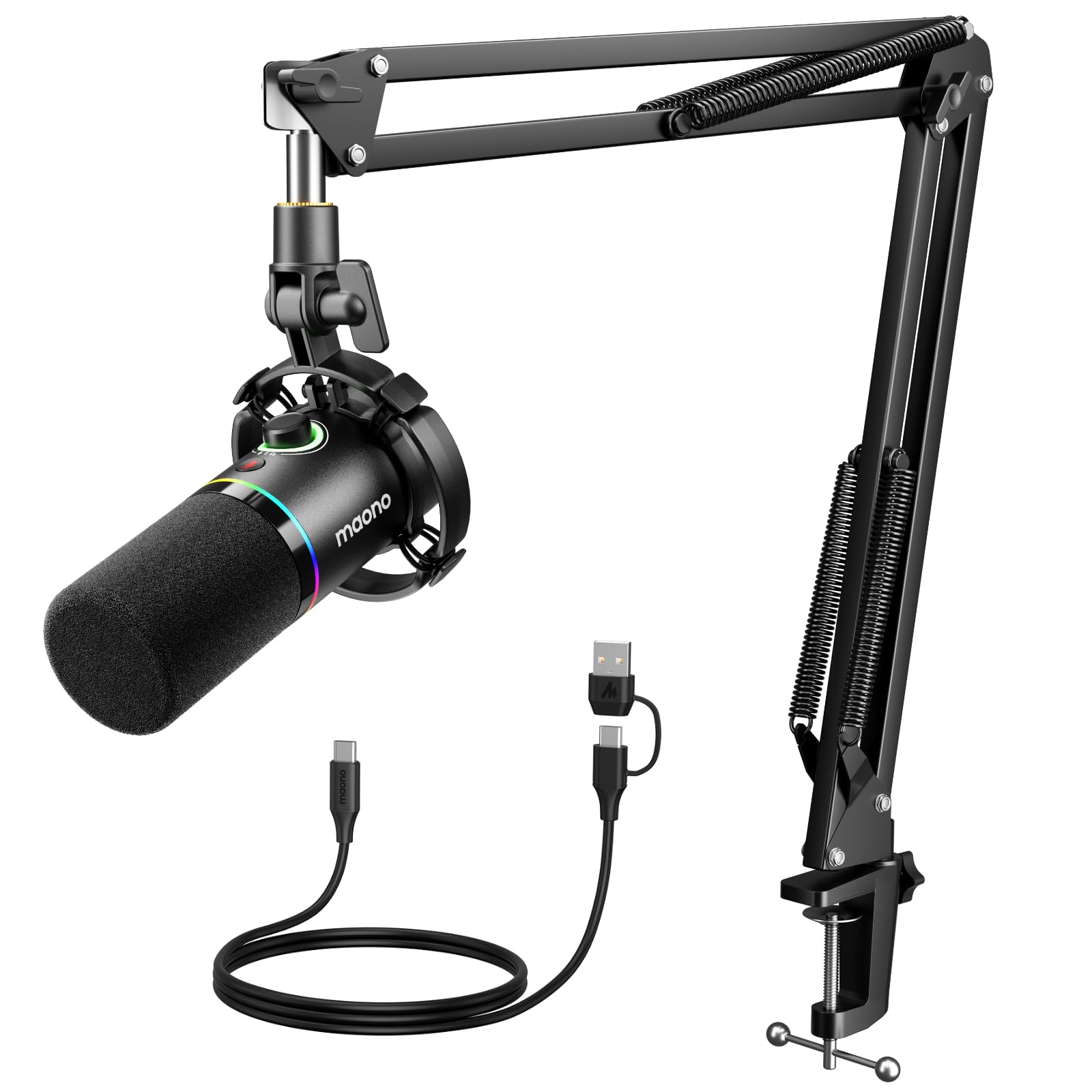
Consider the PD200XS if the included boom arm and shock mount suit your desk and you want that kit bundled with the microphone.
- The PD200XS also offers USB and XLR, with a boom arm, shock mount, USB cable, mute key, and a two-in-one gain and headphone-volume knob.
- Its software supports EQ, limiter, compressor, and RGB adjustments in USB mode.
- The PD400X pairs USB and XLR with a multifunction knob for gain, headphone volume, and monitor mix, plus MAONO Link sound controls over USB.
Vocal Dynamic Microphones alternative
6,000+ ratings
Read Amazon ReviewsFIFINE AmpliGame AM8T
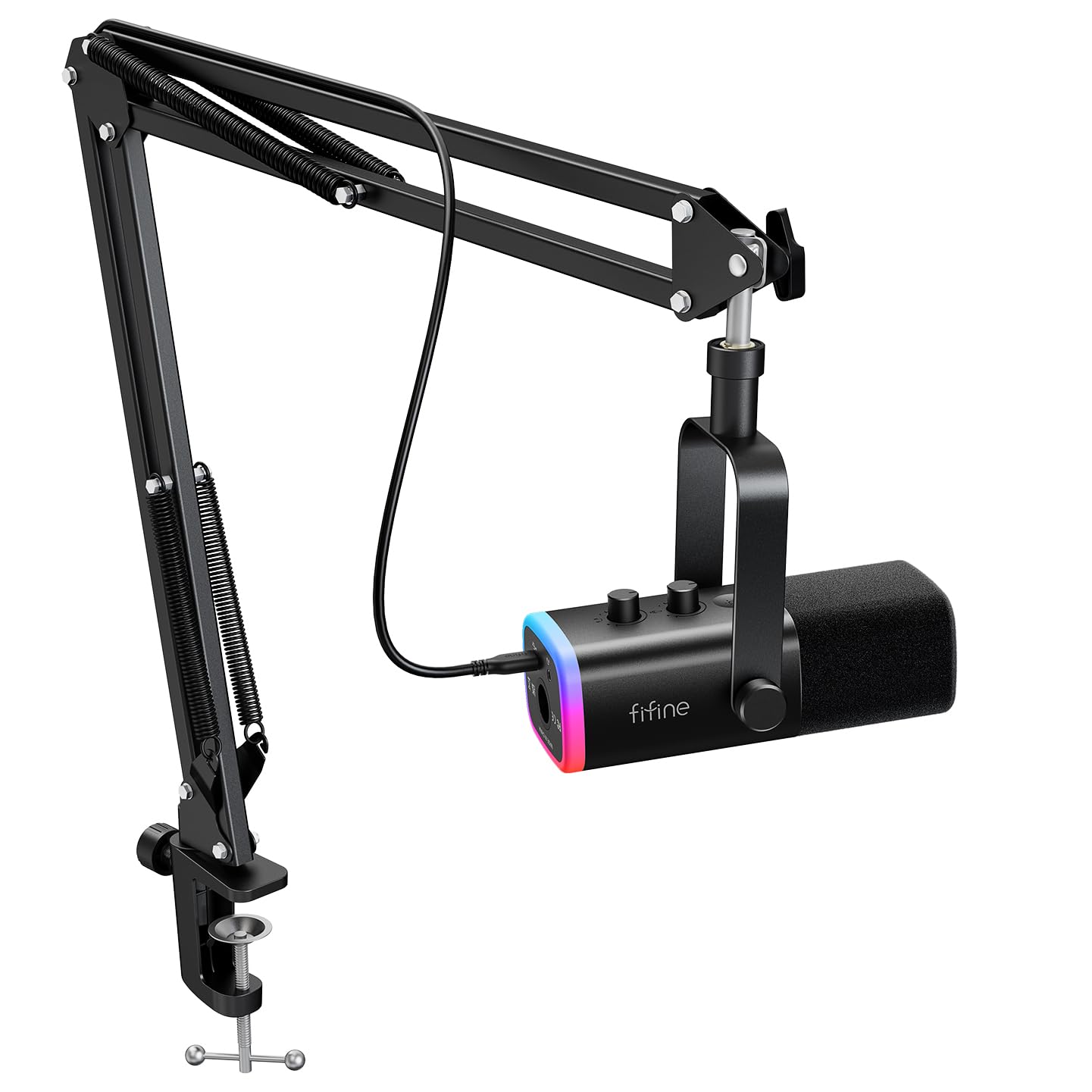
The PD400X is a fit for buyers who value its monitor-mix control and USB software options. The AM8T may suit streamers who want an included boom arm and RGB lighting as part of the microphone setup.
- The AM8T is a USB/XLR dynamic microphone set with a boom arm, customizable RGB lighting, a mute button, gain knob, headphone jack, and headphone-volume control.
- Its package includes a USB cable, but not an XLR cable.
- The PD400X provides USB and XLR outputs, headphone monitoring, and MAONO Link adjustments over USB, including EQ, limiter, and compressor controls.
Is MAONO PD400X Worth It?
The MAONO PD400X is worth considering for podcasters, streamers, and home recordists who want both USB convenience and an XLR option for compatible audio gear.
Its strongest practical points are the on-mic controls, headphone monitoring, and software adjustments available over USB.
Before buying, decide whether you expect to use USB or XLR, and confirm that your planned mounting setup meets your needs.
If that connection flexibility and control layout match your workflow, the PD400X is a capable candidate for a versatile voice-recording desk.
Your review at a glance
500+ ratings
Read Amazon ReviewsMAONO PD400X
The MAONO PD400X suits podcasters, streamers, and home recordists who want USB convenience, XLR flexibility, and hands-on audio controls.
- Dynamic capsule with a cardioid polar pattern, designed for vocal recording and streaming.
- USB output for plug-and-play connection and XLR analog output for compatible interfaces, mixers, or portable PA systems.
- Three-in-one digital knob for microphone gain, headphone volume, and monitor mix.
- Touch mute key with an LED indicator.