The Liene M100 photo printer review centers on a straightforward home setup for turning smartphone pictures into physical 4×6 prints.
Its built-in Wi-Fi hotspot, editing app, and included paper and cartridges make it appealing for families and casual photo makers who want printing close at hand.
Liene M100 Review Summary
The quick verdict
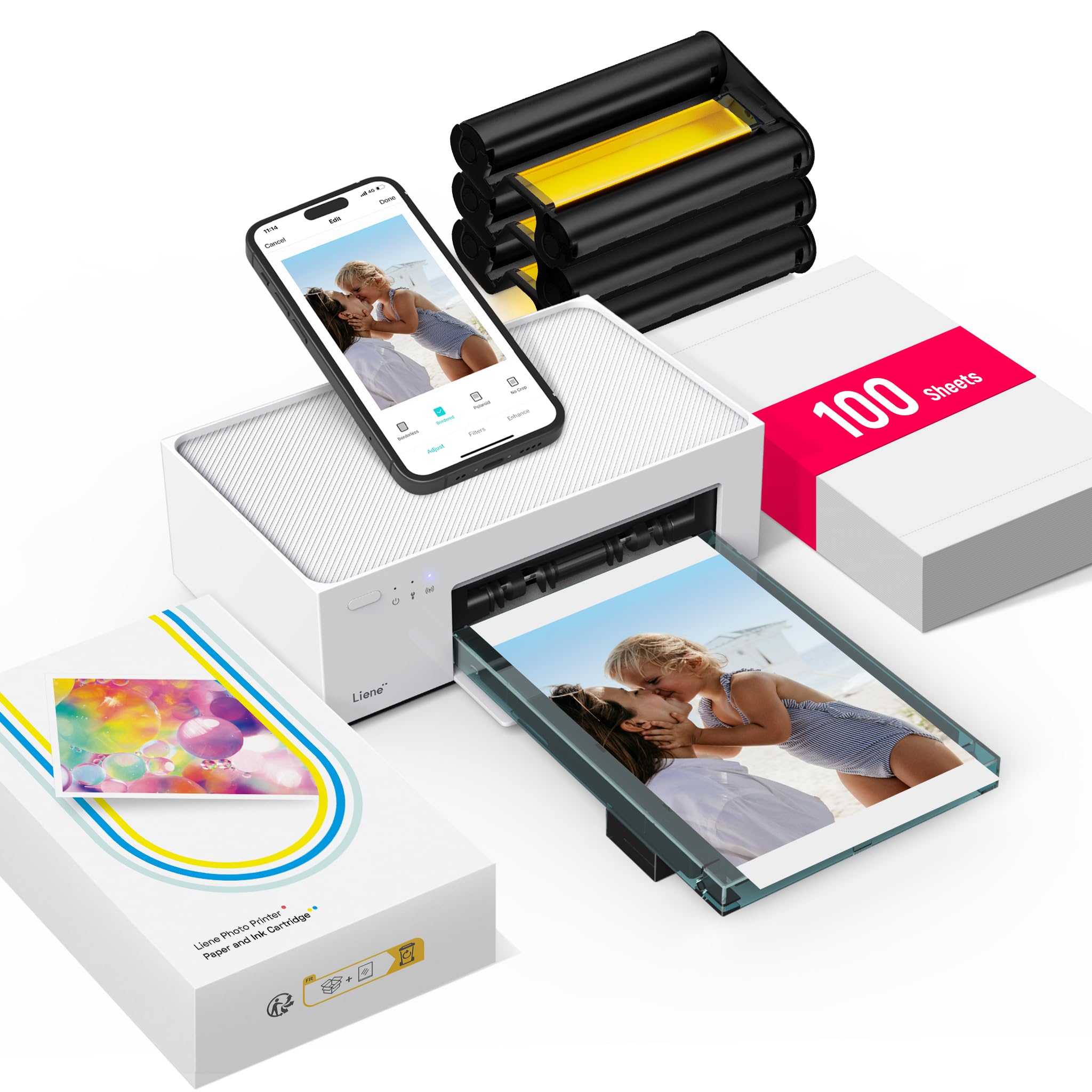
4,000+ ratings
Read Amazon ReviewsLiene M100 Photo Printer
A good fit for households that want to turn phone photos into borderless 4×6 prints and share access across several devices.
- Thermal dye-sublimation printing produces color output on glossy 4×6-inch photo paper.
- A built-in Wi-Fi hotspot lets a phone connect directly to the printer without an outside network.
- Up to five devices can connect simultaneously for shared household printing.
- The companion app includes square borders, filters, contrast and brightness adjustments, and print-status checks.

Pros
- Direct hotspot connection offers a simple route from phone to printer.
- A 100-sheet paper supply and three cartridges are included for getting started.
Consider before buying
- It is limited to 4×6-inch photo media, so it will not serve buyers who need larger prints.
- The printer uses Liene proprietary cartridges, so buyers should plan around compatible replacement supplies.
Read the full review summary
The M100 is a color dye-sublimation printer built around one familiar size: 4×6-inch glossy photos.
It connects through its own Wi-Fi hotspot, so printing does not depend on joining a home network, and the app offers basic editing tools such as filters, borders, contrast, and brightness adjustments.
The package includes 100 sheets of photo paper and three color cartridges, which gives a new owner supplies to start printing. Up to five devices can connect at once, making the printer suited to shared use.
Its practical limits are the fixed maximum paper size and proprietary cartridges; buyers should also expect to keep paper and consumables replenished for continued use.
The buying factors
Liene M100 Scorecard
Editorial scores reflect listed features and buyer fit; they are not laboratory measurements or customer ratings.
Everyday photo printing
A dedicated 4×6 color printer and glossy photo media suit snapshots, albums, and framing.
Phone connectivity
The printer's own hotspot supports phone printing without requiring another network.
Shared access
Up to five simultaneous connections can help a household share the printer.
App editing
Filters, borders, and brightness or contrast controls provide useful edits before printing.
Starter supplies
The package includes 100 sheets and three cartridges, enough to begin using it right away.
Format flexibility
The maximum media size is 4×6 inches, which limits larger or differently sized print projects.
Key Features and Specifications of Liene M100
- Thermal dye-sublimation printing produces color output on glossy 4×6-inch photo paper.
- A built-in Wi-Fi hotspot lets a phone connect directly to the printer without an outside network.
- Up to five devices can connect simultaneously for shared household printing.
- The companion app includes square borders, filters, contrast and brightness adjustments, and print-status checks.
- The package includes 100 sheets of photo paper and three color cartridges.
- A sealed paper cassette helps protect stored sheets from dust; the design also includes a magnetic feature for compact storage.
- The printer supports iOS, Android, Windows, and Mac devices, with Wi-Fi and USB connectivity listed.
Pros and Cons of Liene M100
Pros
- Direct hotspot connection offers a simple route from phone to printer.
- A 100-sheet paper supply and three cartridges are included for getting started.
- The app provides basic creative adjustments before printing.
- Support for up to five simultaneous connections makes it practical for shared use.
Consider before buying
- It is limited to 4×6-inch photo media, so it will not serve buyers who need larger prints.
- The printer uses Liene proprietary cartridges, so buyers should plan around compatible replacement supplies.
- Photos require glossy paper and color cartridges, creating ongoing consumable needs.
Who Should Buy Liene M100?
Good fit
Consider the M100 if you regularly take pictures on phones and want a convenient way to print standard snapshots at home.
The dedicated hotspot can simplify setup when you do not want to route printing through a home network, and several people can connect their devices to the same printer.
It is especially appealing if you want a ready-to-start package. With paper and cartridges included, you can begin with the core 4×6 workflow and use the app for simple adjustments before printing.
Check the cost and availability of compatible Liene cartridges and paper for your expected printing habits before choosing any photo printer.
Who should skip it
Skip this model if you need prints larger than 4×6 inches or want one device to handle general document printing. The M100 is a photo-focused, print-only machine with a defined maximum media size.
If you want to print away from an outlet, confirm the power arrangement against your intended location before buying; the supplied description does not establish battery operation.
What the Liene M100 Photo Printer Means for Home Printing
A focused 4×6 workflow
The M100 is designed for one common photo size rather than a range of paper formats.
That focus makes the choice clearer for buyers who mainly print snapshots for albums, gifts, or frames, while anyone with larger-format projects should look for a printer with a higher media maximum.
Direct connection for shared use
The built-in hotspot creates a direct connection between mobile devices and the printer, which can be useful when home Wi-Fi setup is inconvenient.
With up to five simultaneous connections, family members can each use the printer; check whether your preferred devices and operating systems are supported before purchasing.
App controls before printing
The app's filters, square borders, and brightness and contrast adjustments help tailor a photo without a separate editing workflow.
These are practical basics for casual prints, but buyers who rely on advanced editing should assess whether the app tools meet their needs.
Plan for paper and cartridges
The included 100 sheets and three cartridges provide a useful initial supply, and the sealed cassette helps keep paper protected from dust.
Continued printing depends on compatible Liene cartridges and photo paper, so consider the ongoing supply routine as part of the purchase.
Alternatives to Liene M100
Desktop Photo Printers alternative

19,000+ ratings
Read Amazon ReviewsKODAK Dock Plus 4×6 Photo Printer
Choose the M100 if its direct hotspot and larger included paper supply fit your shared phone-printing routine. Consider the Dock Plus if you value a physical phone dock and charging at the printer.
- The KODAK Dock Plus prints 4×6 photos using 4PASS dye sublimation and Bluetooth, with an integrated phone dock that can charge a compatible phone while printing.
- Its app supports editing and cropping.
- The Liene M100 connects through its own Wi-Fi hotspot, supports up to five connected devices, and includes 100 sheets with three cartridges.
Desktop Photo Printers alternative
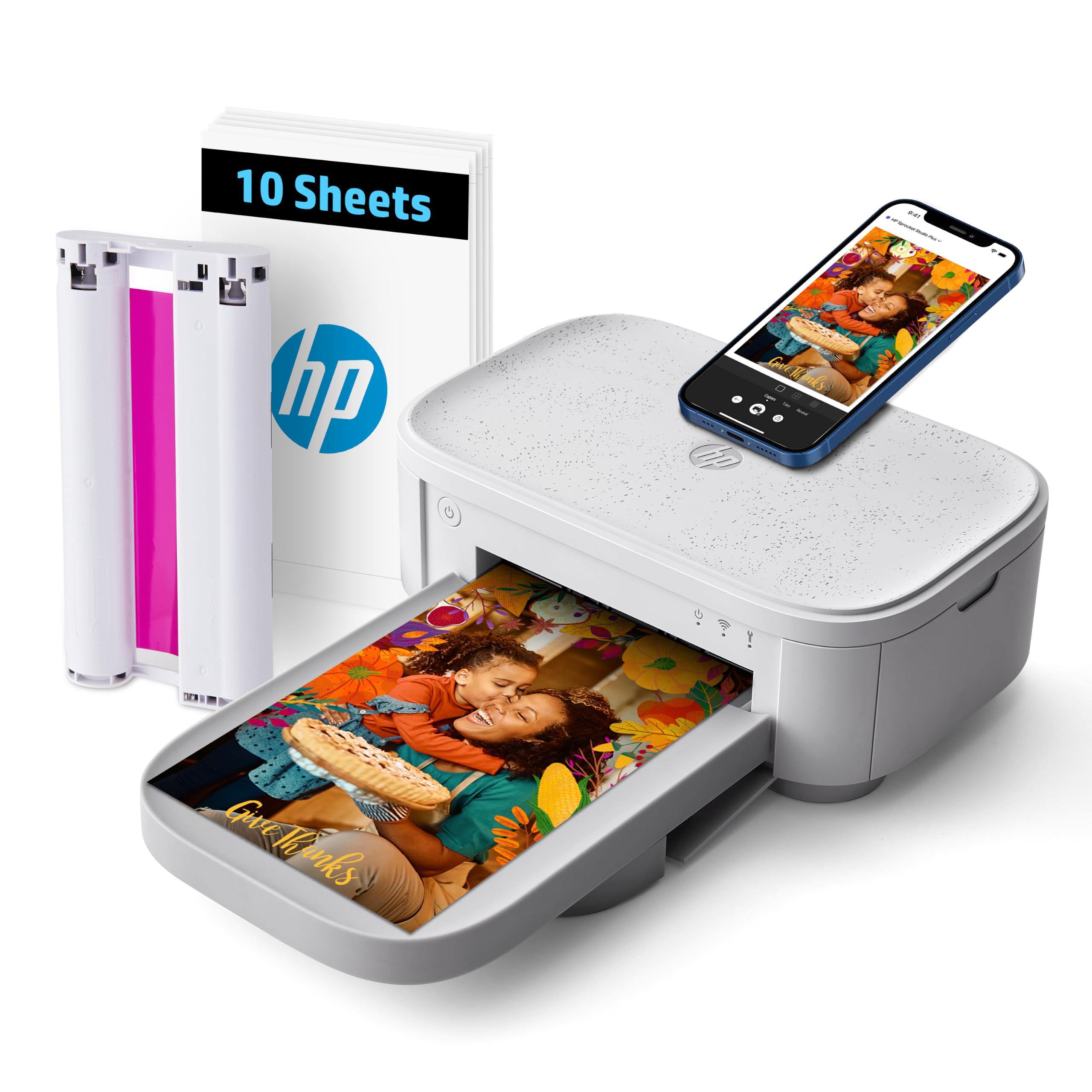
800+ ratings
Read Amazon ReviewsHP Sprocket Studio Plus
The M100 is the more ready-to-use option if a larger initial paper supply matters. The HP may suit buyers who prioritize creative app projects such as collages or photo-booth layouts.
- The HP Sprocket Studio Plus is a Wi-Fi 4×6 dye-sublimation printer with an app for stickers, frames, filters, collages, and photo-booth projects.
- Its described starter package includes 10 sheets and one cartridge.
- The Liene M100 offers direct hotspot connection and an app with filters, borders, contrast, and brightness controls for 4×6 prints.
Is Liene M100 Worth It?
The Liene M100 is worth considering for households that want straightforward 4×6 phone photo printing, a direct wireless connection, and a useful supply of paper and cartridges in the box.
Its app covers common edits, and support for several connected devices helps make it shareable.
Buy it if standard snapshots are your main goal and you are comfortable sourcing compatible Liene supplies over time.
Look elsewhere if you need larger media, broader printing functions, or a portable setup whose power requirements are clearly suited to printing away from an outlet.
Your review at a glance
4,000+ ratings
Read Amazon ReviewsLiene M100 Photo Printer
A good fit for households that want to turn phone photos into borderless 4×6 prints and share access across several devices.
- Thermal dye-sublimation printing produces color output on glossy 4×6-inch photo paper.
- A built-in Wi-Fi hotspot lets a phone connect directly to the printer without an outside network.
- Up to five devices can connect simultaneously for shared household printing.
- The companion app includes square borders, filters, contrast and brightness adjustments, and print-status checks.